Road Warrior Upgrade

On this day in 2023, I wrote about my “road warrior” setup for writing on the go. At that time, I had an iPad Air, a Logitech keyboard and mouse, all in a cozy leather bag. It functioned as well as a laptop in most cases, and not as heavy. I have updated the setup and I feel like I’ve now got the road warrior gear optimized.
I upgraded my iPad a couple years ago for a M4 iPad Pro. It’s a bit heavier, but performance wise I can’t complain. I still can’t complain to this day. I do some Photoshop and Canva on the setup, and I have never had a performance complaint. I wish I cared enough about shooting and editing video to really push it, but I have no talent for video.

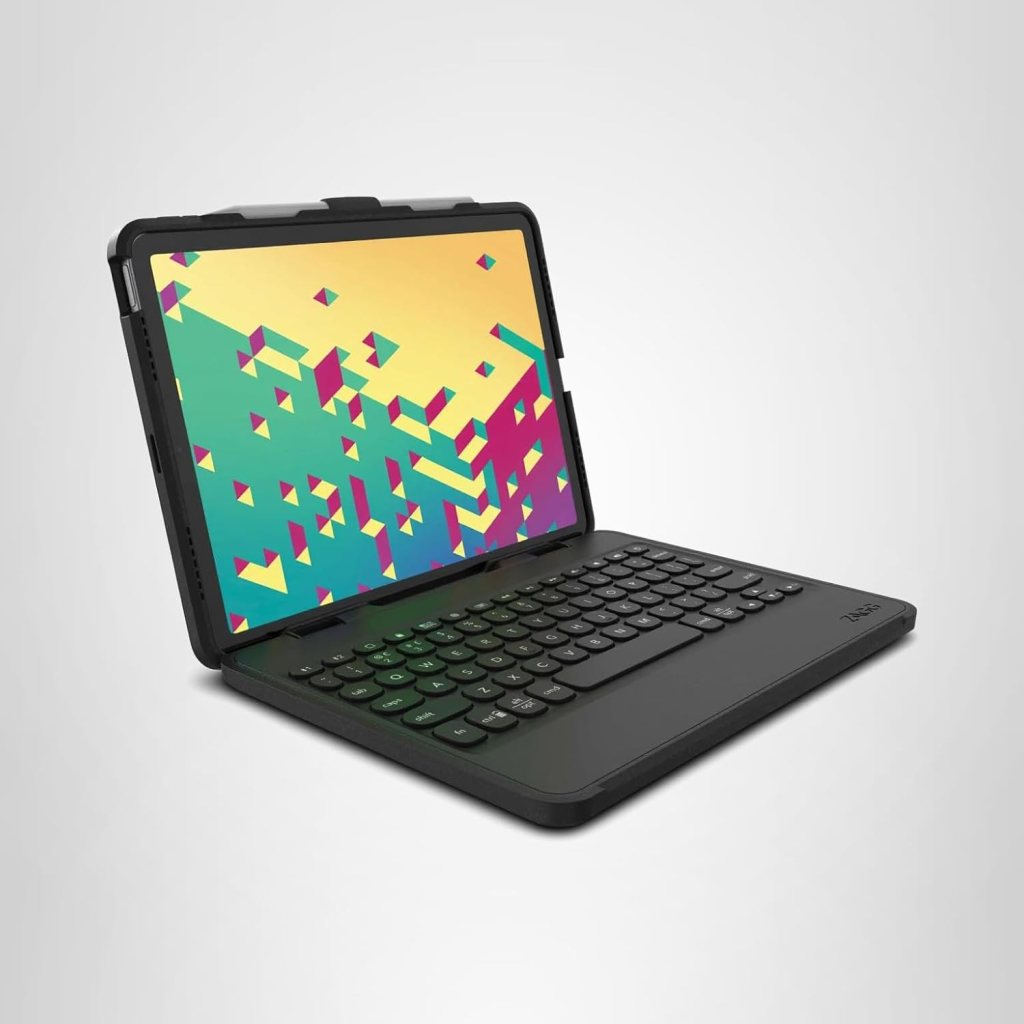
I decided I wanted a laptop form factor, because the one problem with an iPad and keyboard is that you can’t just put it on your lap and use it. I missed that from hauling around my Surface. I bought a Zagg Rugged Book, which is an all-in-one keyboard and iPad case. Again, I traded a bit of weight for more functionality. I still think it’s lighter than a laptop, especially the Galaxy Ultra that is my computer at home. And my iPad is PROTECTED with this case.

The rest of my upgrade was a trackball rather than a mouse. I prefer trackballs to mice, especially since some surfaces are not suitable (too small, too glossy) to run an optical mouse. I found the Elecom Bitra with its small footprint a good, but not cheap, solution.

If I want more screen space, I have a portable screen I can hook up to my iPad using Duet, a pairing program. This would necessitate me moving to a bigger bag and would definitely add more weight, which is why I haven’t done it yet. I like traveling better without it, which could change with the tasks I’m doing. I’m glad I have the option for now.

So I’ve upped my road game at the cost of a little weight. I’m still hauling my equipment in a small bag and feel like I can handle the burden. All in all, good choices for a computer substitute.
Waiting for My New Toy

One of the recommended budgeting strategies for couples is what is known as “mad money”, or money allocated to each spouse that they don’t have to account for. They can spend it on anything they want* without recriminations from the other spouse. I have always said there are two different types of discretionary purchases — “mine” and “stupid”.

What I do with my mads is save it. Usually for some big technological marvel down the road. I spent my last accumulated money on an iPad Air 5th Gen, (circa 2022) gently used/refurbished. It does a good job of most of what I need, which is composing novels on Scrivener and surfing the net. It does sometimes seem a bit slow when I’m posting pictures for social media on Loomly, but I’m not sure if that’s my iPad or the wi-fi at Starbucks.

I have had that iPad for 15 months. I know this because I started saving my mads as soon as I bought it, with my goal again being “something technological”. I’m at the age where my knick-knacks are barely contained by curio cabinets, and I am fashion-backward. Therefore my reward to myself will always be technology, something useful and cool.

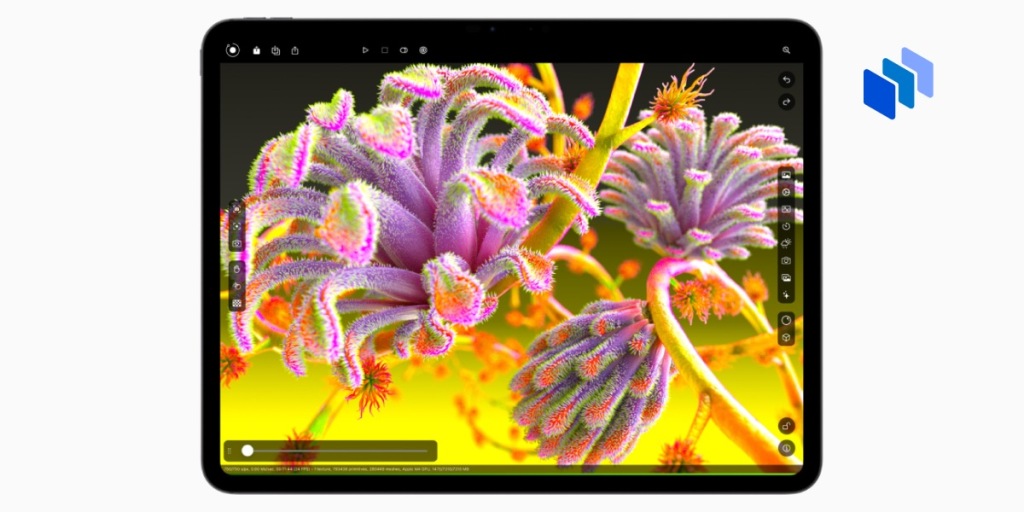
When I heard of the new iPads coming out, especially that it was going to be an exciting product revamp, I listened for the rollout, and — wow. The new iPad Airs with the M2 chip, the better display, the landscape front camera …

And then, I looked at the iPad Pro with its M4 chip, clearly overkill when it comes to my needs. All the features of the iPad Air, with a few more, and a faster, more powerful chip. Way overkill.

Way within my budget, given that I would be selling my old iPad to my husband and getting a bit of technology budget money. In fact, I thought I’d be paying Pro prices for my new Air. Rationally, the Air was the better choice.

Or was it?

  • I had been replacing my technology at a rate of once every two years because I found myself up against a slight slowdown and my expectation of needing power for graphics (Photoshop, Canva, Loomly) applications. If I could draw, I would be doing the artwork for my book covers, and I delve in Sketchup to draw maps of my settings.
  • I was losing money due to depreciation of the machines (the $600 iPad I bought being valued a year or so later at $180)
  • Because of the prior point, I wanted to keep the iPad for longer, maybe four years, before upgrading and get all the value out of it. The iPad Pro with its M4 chip, from what I could tell from iPad upgrade cycles, would be as good or better than the subsequent iPad Air for at least three years. If the Pro had contained the M3 chip, I probably would have stuck with the Air.
  • Only $150 of the difference between the Air and the Pro of similar specs was paid by my savings.
  • I had saved my money for the new big thing, and the Pro is definitely a new, big thing.
  • I value performance. If I can afford performance and delayed obsolescence, I’m going to go there.

I bought the Pro. It might be that this is my mid-life crisis sportscar, I don’t know. This post might just be wild justification, and in the long run I may regret spending so much on what is, basically, a tool for my writing and an adjunct for my leisure.

It’s supposedly coming in on Wednesday. I’m looking forward to it!

*Except maybe drugs and prostitution, but those aren’t a budget issue per se.

My Road Warrior Setup — Update

I’ve had my iPad Air/Logitech keyboard/Logitech mouse for over a month and have taken it on road trips. I have blogged with it, written on my work in progress, and surfed the Internet. I’ve given it enough of a workout that I can review my experience with it.

  • Weight and heft. Compared to a Surface Book 2, the components of my travel setup are lighter and easier to carry. They fit in the leather smaller-than-a-briefcase bag, and they’re still lighter than my Surface in a canvas messenger bag. Or least I perceive them as lighter — that leather bag isn’t light.
  • Screen size. The iPad screen is a little smaller than the Surface. Decently smaller, with the Surface 13.5” vs iPad’s 10.2”. Because this is a secondary setup, this doesn’t bother me. At home I have two old display screens at approximately 22”. If I need big screens, I dock to those. On the road, I’m more about function than form.
  • Looks. That being said about form and function, my setup is ridiculously cute. The logi keyboard and mouse in lavender lemonade match my case. Of course, this doesn’t really figure in my satisfaction with the setup. Really it doesn’t.
  • Function of the peripherals. How comfortable are my peripherals to use? The keyboard (Logitech K380) is responsive but sometimes needs to be re-added to Bluetooth. This is likely a Bluetooth thing. The mouse (Logitech Pebble) works superbly and is made for the hand.
  • Function of the iPad. I keep the iPad plugged in if at all possible, because playing with it too much will wear the battery down. I do not notice any lags, glitches, or quirks. There are glitches and quirks, but they seem more about the interaction between iPad, keyboard, and apps.
  • Pulling it all together. Overall, the iPad setup acts exactly like a computer, or at least exactly like an iPad acting like a computer. Where the computer would require to get rid of a screen by clicking the little x, the iPad has you click a bar at the bottom (or you could use your finger.) There is an occasional quirk where the keyboard will not scroll your screen up or down all the way (only with specific programs such as Jetpack. You can move the screen with your finger.

In conclusion, there’s a lot of good and very little trauma in using the road warrior setup of iPad and entry peripherals. I take it with me everywhere just in case I want to write, which is something I never did with my Surface. I won’t give up my Surface, because there are some things the Surface does better (like hooking up to the big screens). There are some things I haven’t tried on the iPad (Photoshop and other graphics) mostly because I can’t afford Photoshop on the iPad. Big productions will be better on the Surface, I suspect, but for everyday use I’m very happy with my iPad setup.